How it works

Harness the power of Stripe and split payments instantly and accurately with SplitSum. Choose your payment setup depending on how your business works with contractors.

Sign up!

Control

You’re always in charge

As the business owner, you stay in full control with your Admin account. You can create contractor accounts, set and adjust commission splits, oversee cashier access, and track activity — all in one place. Once settings are in place, only you can update them, giving you clarity, confidence, and complete control.

No more chasing contractors for payments or spending hours on admin. SplitSum handles the splits automatically, so everyone gets paid correctly and on time.

The Magic

Watch a Payment Split in Real-Time

From the customer's perspective, it's just a normal card payment. Behind the scenes, SplitSum does all the work.

Real Example

Scenario: Sarah (hairdresser) completes a $200 service. Your split is 70/30.

Step 1

Customer taps card for $200

Step 2

SplitSum automatically calculates:
Sarah: $140 | Business: $60

Step 3

Both accounts receive their share instantly

No manual payouts. No spreadsheets. No waiting until end of day.

Instant

No waiting, no manual transfers. Money lands in the right accounts immediately.

Accurate

Set the split once, SplitSum calculates it perfectly every time. No math errors.

Automatic

You don't lift a finger. Every payment splits correctly without any manual work.

Flexibility

Different Businesses Run Differently

SplitSum supports different payment setups depending on how you work with contractors. But here's the good news: you don't need to figure this out right now.

Standard Payments

Standard Payments

Most Popular

Business pays fees, maximum flexibility, any hardware.

Great for salons, studios with shared tills
Direct Payments

Direct Payments

Contractor-Focused

Contractor pays fees, clearer income separation.

Popular with high contractor splits
Separate Payments

Separate Payments

Fully Independent

Contractor has own Stripe account.

For complete financial separation

Not Sure Which One?

Our quick questionnaire will recommend the best setup for your business. It takes less than 2 minutes.

Find Your Setup

Want all the technical details? See detailed comparison below

No Splits

To Split, or not to Split?

Not every payment needs to be split. With Splitsum, you have full flexibility & effortless control of payments your business receives. Don't need to split with a contractor? Easily process payments with No Split so that 100% of funds go directly to your business account.

Start now!

Inventory

Flexible Splits for Every Arrangement

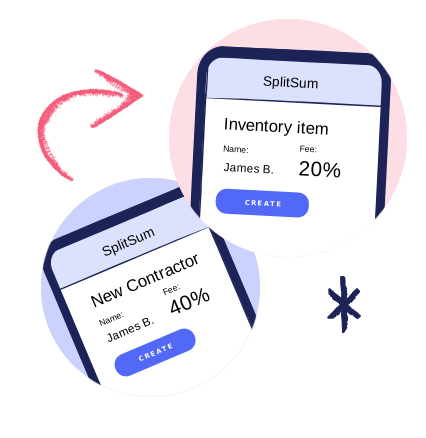
The Inventory feature (available to Tier 3 subscribers) lets you set custom payment splits for specific products or services, independent of the default split on a contractor. This gives you the flexibility to handle any arrangement — from shared items to solo sales — while everything is calculated automatically. You can even track stock if needed, so running your business stays simple and accurate.

Start now!

Booth Rental

Cap Your Contractor's Fees

Set a maximum amount a contractor pays your business within a chosen period: daily, weekly, or monthly.

SplitSum tracks all in-person card payments automatically. When the cap is reached, the contractor keeps the full amount of any further payments for the rest of that period. No manual tracking, no spreadsheets, no admin.

Start now!

Detailed Comparison

For those who want to understand all the technical details before starting the questionnaire.

Standard Payments

Full details
Maximum flexibility, broad hardware support.

How it works:

Business takes the payment
Business pay the card fees
Use any reader (including Tap to Pay)
Supports splitting payment links
Multiple contractors per payment

Good for:

Salons, studios with shared tills
Businesses that want to cover card fees
Transactions with multiple contractors

Payment flow:

Customer → Business → Stripe fees → Contractor

Card Readers:

Stripe Reader S700
Stripe Reader S700 WiFi - $349
BBPOS WisePOS E
BBPOS WisePOS E WiFi- $229
Stripe Reader M2
Stripe Reader M2 Bluetooth - $59
Tap to Pay on iPhone
Tap to Pay on iPhone - FREE
Tap to Pay on Android
Tap to Pay on Android - FREE

Direct Payments

Full details
Simple separation of payments and fees.

How it works:

Payments belong to the contractor
Contractor pays card fees
Supports Bluetooth & WiFi readers.
Limited use of Tap to Pay.
Supports splitting payment links
One contractor per payment

Good for:

Businesses that already use multiple card readers
for each contractor. Allows you to have one card
reader and receive your cut instantly.
Businesses where Contractors accept payments directly.

Payment flow:

Customer → Contractor → Stripe fees → Business

Card Readers:

Stripe Reader S700
Stripe Reader S700 WiFi - $349
BBPOS WisePOS E
BBPOS WisePOS E WiFi- $229
Stripe Reader M2
Stripe Reader M2 Bluetooth - $59
Tap to Pay on iPhone
Tap to Pay on iPhone -Limited
Tap to Pay on Android
Tap to Pay on Android - Limited

Separate Payments

Full details
Contractor's are completely separate from the business.

How it works:

Contractors have their own Stripe account
Contractors pay card fees
Bluetooth readers
Limited use of Tap to Pay.
Supports splitting payment links
One contractor per payment
Often used when businesses want contractor earnings reported directly by Stripe.

Good for:

Businesses that require contractor
earnings cleared through their own separate Stripe account.

Payment flow:

Customer → Contractor → Stripe fees → Business

Card Readers:

Stripe Reader M2
Stripe Reader M2 Bluetooth - $59
Tap to Pay on iPhone
Tap to Pay on iPhone - Limited
Tap to Pay on Android
Tap to Pay on Android - Limited

Comparison Table

Standard Payments Direct Payments Separate Payments
Who pays the card fees? The Business The Contractor The Contractor
How many contractors per payment? Multiple Only one Only one
Card Reader Support Supports all readers Supports Bluetooth & WiFi readers.
Limited use of Tap to Pay.
Supports Bluetooth readers.
Limited use of Tap to Pay.
Subscription Tier Compatibility All tiers Tiers 2 and 3 Tier 2 and 3

From a customer's point of view, all setups look the same. They tap, pay, or use a payment link as normal. The difference is how the payment is recorded behind the scenes, and which setup fits how your business operates.

Demo

See SplitSum in Action

Want to see how SplitSum can work for your business? You can book a live demo with our team to walk through your specific needs, or watch a pre-recorded demo anytime.

See a Demo

Case study

See how Three Kings Tattoo streamlined contractor payments.

View Case Study