
If you run a service based business, you already know the drill. A customer calls or messages to book an appointment. You check your calendar. You confirm the slot. Maybe you take a deposit over the phone, or maybe you just hope they show up. Then you're chasing payment splits between yourself and your contractors after the fact.
SplitSum's new Public Booking Page feature handles all of that for you, and it's free to use during our beta period until September 1, 2026.
What is a Public Booking Page?
It's a customisable page you share with your customers where they can browse the services you offer, pick a time that works for them, and pay right there on the spot. No back and forth. No manual calendar checking. No separate invoicing step.
You set it up once. Your customers do the rest.
What you can do with it
Define your own services and splits. Add as many services as you like, each with its own custom split between your business and the contractors who deliver the work. Set it once and every booking follows the rule automatically.
Take deposits, or don't. Some services might need a deposit to hold the slot. Others might not need one at all. You decide per service.
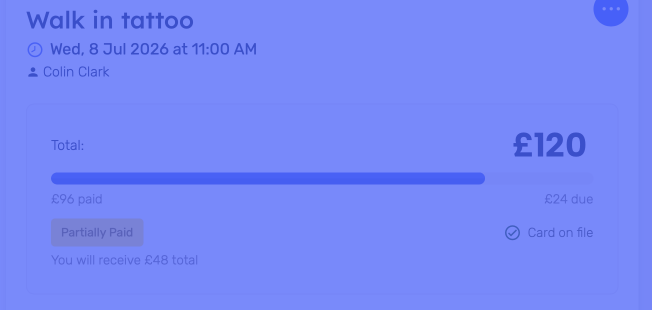
Charge a no-show fee. Because customer card details are saved securely at the time of booking, you can charge a no-show fee if someone doesn't turn up, without having to chase them down for payment.
Collect balance payments without a card reader. Since the card is already on file, you can charge the remaining balance directly through SplitSum. No reader required, though you can absolutely still use one, or any other payment method already available in SplitSum, if you prefer.
Accept partial payments. Customers aren't locked into an all or nothing payment. You can allow partial payments on top of any deposit.
Send confirmation and reminder emails automatically. Once a booking is made, your customer gets a confirmation. Ahead of the appointment, they get a reminder. Add your own booking policies to each email. Fewer no-shows, less admin.
Customise the page itself. Filter by age where relevant, add your own terms and conditions, and require notes from the customer if you need extra information ahead of time.
Sync with Google Calendar. Connect your calendar and bookings sync automatically, so you're never double booked.
Manage your customer base. View every customer who has booked with you, their full booking history, the total they've spent with your business, and add your own private notes on each one.
Add appointments manually. Booking pages aren't the only way in. You can still create appointments directly in the app for walk-ins, phone bookings, or repeat customers.
Control access for your team. Set permissions for cashiers and contractors so they only see and access what they need to.
How the splits work
Whenever a deposit or any payment is taken on an appointment, the split you've configured for that service kicks in automatically. Your contractor gets their share, your business gets its share, and there's no manual calculation or end of week reconciliation needed.
Why this matters if you're paying for an expensive booking platform
Booking and payment platforms built for service businesses often come with a hefty monthly price tag, and many of them weren't built with contractor splits in mind at all. SplitSum gives you the core of what you need, booking, deposits, no-show protection, automatic splits, at a fraction of the cost. We won't pretend we have every bell and whistle those platforms have built up over the years, but if you're running a business with contractors and want your payments split automatically the moment a customer books, this is built specifically for that.
Getting started
- Turn on the booking page feature in your SplitSum account.
- Add your services, including any custom splits, deposit or terms.
- Set your availability.
- Share your page with your customers.
That's it. The feature is completely free during our beta period, running until September 1, 2026. After that, it will be an extra cost added to your usual invoice.
Ready to set up your booking page? Log in to your SplitSum account and turn it on today. Don't have an account? Sign up here.



 Copyright © 2026 SS Pay Ltd T/A SplitSum