


The economy isn’t great at the moment and many have adjusted their spending habits. If you have a business that deals with larger amounts of money like a tattoo shop or a beauty clinic, you might be feeling this acutely right now. You may want to consider giving your clients the option to pay for larger sessions with Klarna so they would be more open to booking. But how can you ensure these payments split properly and pay your contractors automatically?
Luckily, with Stripe and SplitSum this is extremely easy to set up. In this post I will show you the steps to get this set up below.
Setting up in Stripe
Stripe has Klarna as a payment option which you can configure on Payment links.
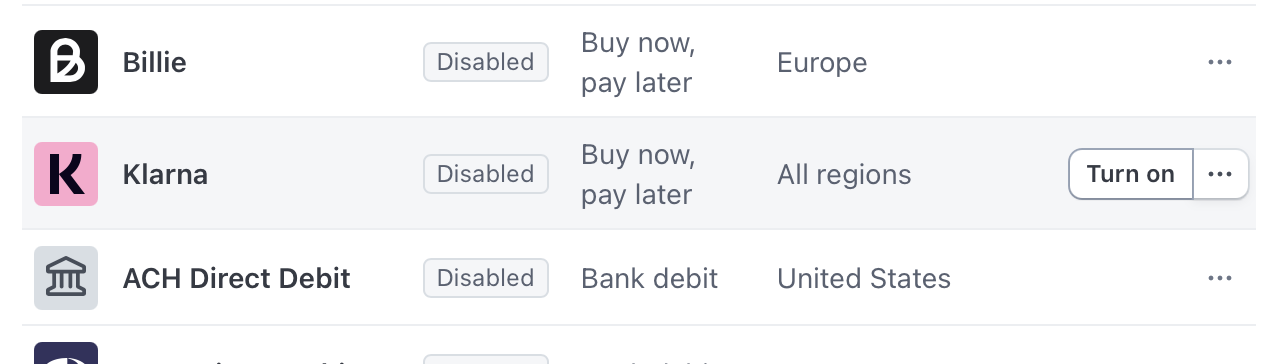
First you need to set up Stripe to allow Klarna on Payment links. Visit: https://dashboard.stripe.com/settings/payment_methods and click on your active configuration in order to edit. Scroll down to Klarna and click ‘Turn on’ once it’s enabled click ‘Customise availability’
You can now set rules for Klarna here. Keep in mind when using Klarna the Stripe fees are different so this is something you’ll want to think about when using Klarna. But you can set a minimum price for which you want Klarna to be an option so if you don’t want customers to use Klarna for a low price you can set that here. 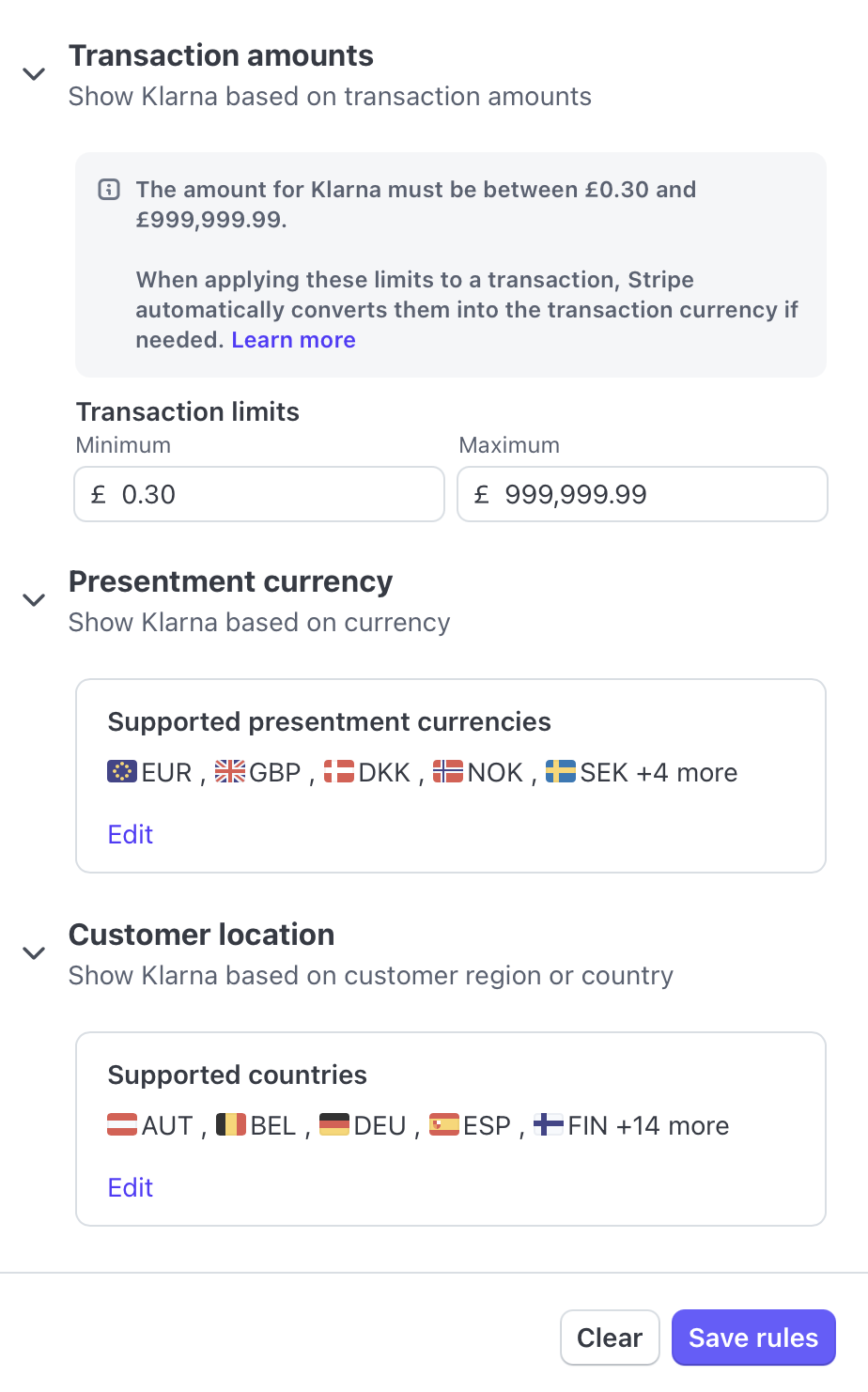
Save these rules and then you’re ready to go!
Payment Links
Klarna is not an option when using a POS terminal reader as the only option there is credit card or contactless (Apple Pay & Google Pay) but it is available for Payment links.
Since approval for funds happens within Klarna we recommend obtaining payment from your customer BEFORE providing the service. This way if they are turned down for financing you can attempt to obtain the payment the normal way with a credit card or contactless payment. This way if the customer is completely unable to provide the funds, you aren’t stuck having already performed the service. You can cancel their appointment and send them on their way.
As mentioned earlier the Klarna fees in Stripe are a whopping ~5% plus 20p. The fee will come out of the businesses Stripe account (if using Express accts, which most on SplitSum do) so you may want to tack on an additional fee.
You can do this in SplitSum by creating a multi item payment link, you first add the appointment itself a description, cost and the contractor who performed the service. And then add a no split line item for the Klarna fee:
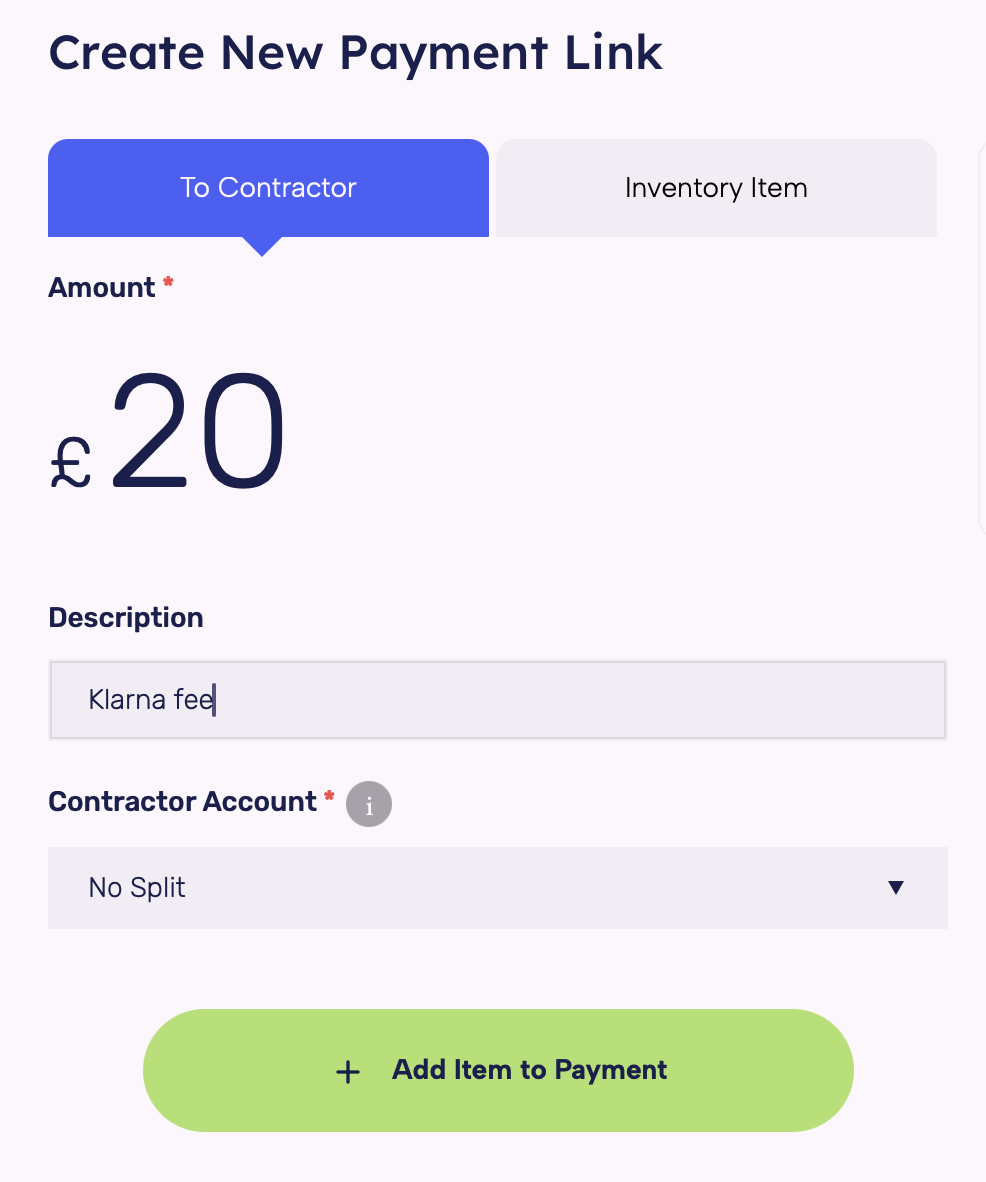
Once added review your payment items to ensure they are correct and then create the link: 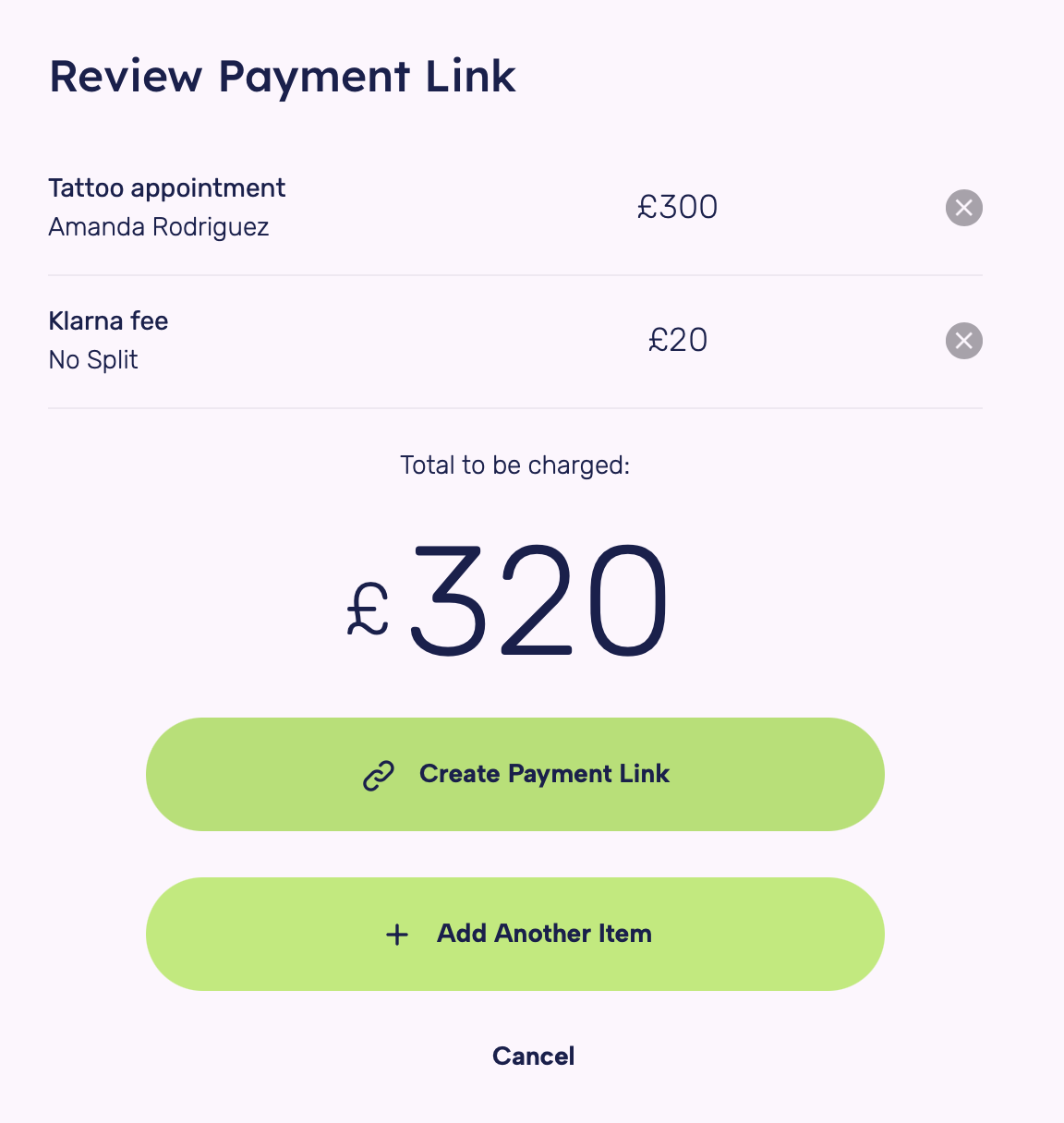
Once you create the link you can copy the URL and provide it to the customer for payment. This is what they will see (but with your branding): 
Then it’s up to them to complete the payment with Klarna. Once this is completed the payment will be marked as complete in SplitSum. If you have the SplitSum app downloaded to your phone you’ll receive an instant notification when the payment is finished.
And that’s it! It’s super easy and provides your customers with multiple ways to pay, while you can ensure your payments are split properly!



 Copyright © 2026 SS Pay Ltd T/A SplitSum